
“Show the latest recorded weight and vital readings.”
Bring the recorded details into the conversation, without searching through separate notes while someone waits.
From the first visit to the end-of-shift handover, keep care records, everyday observations and your team’s tasks together. When you need to know something, ask Patch.
 Meet PatchYour AI assistant inside ServPatch
A nurse asks about someone’s recent weight. A manager needs an incident summary. You want to check your holiday balance. Finding the answer shouldn’t mean opening ten files.
Ask Patch in everyday language. It brings together the records and reports your role allows you to see, helping you find the detail, understand what has changed and prepare for the conversation that comes next.
From care information to staff questions and help using ServPatch, Patch is there in the same place you work. No need to export several spreadsheets just to answer one question.
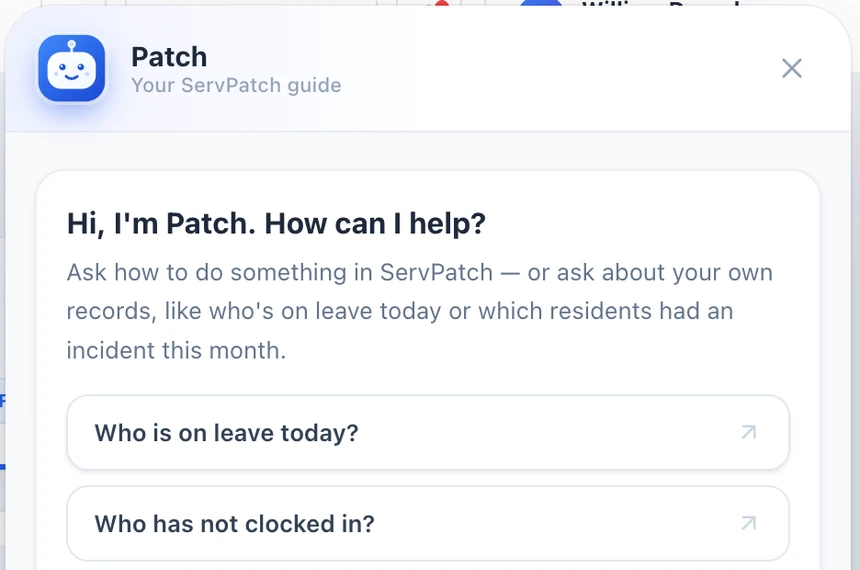
Example questions for the information available to your account.
Bring the recorded details into the conversation, without searching through separate notes while someone waits.
Review patterns in the available entries and identify changes to check with the team or a healthcare professional.
Get a clearer starting point for your review, without first pulling together several spreadsheets or PDFs.
Find practical staff information without another message to the office, where your account has access.
Your records. Your permissions. Your judgement. Patch can help surface recorded changes, but it does not diagnose conditions or replace professional advice. AI answers and estimates can be wrong or incomplete: check the underlying records, follow your service’s escalation process and seek qualified advice about concerns. How we protect your data
Record what was offered, how much was eaten and the support given. AI-assisted tracking calculates estimated calories, so your team spends less time adding things up.
Keep meals, fluids and everyday observations connected, with Patch to help you find and review the recorded detail.
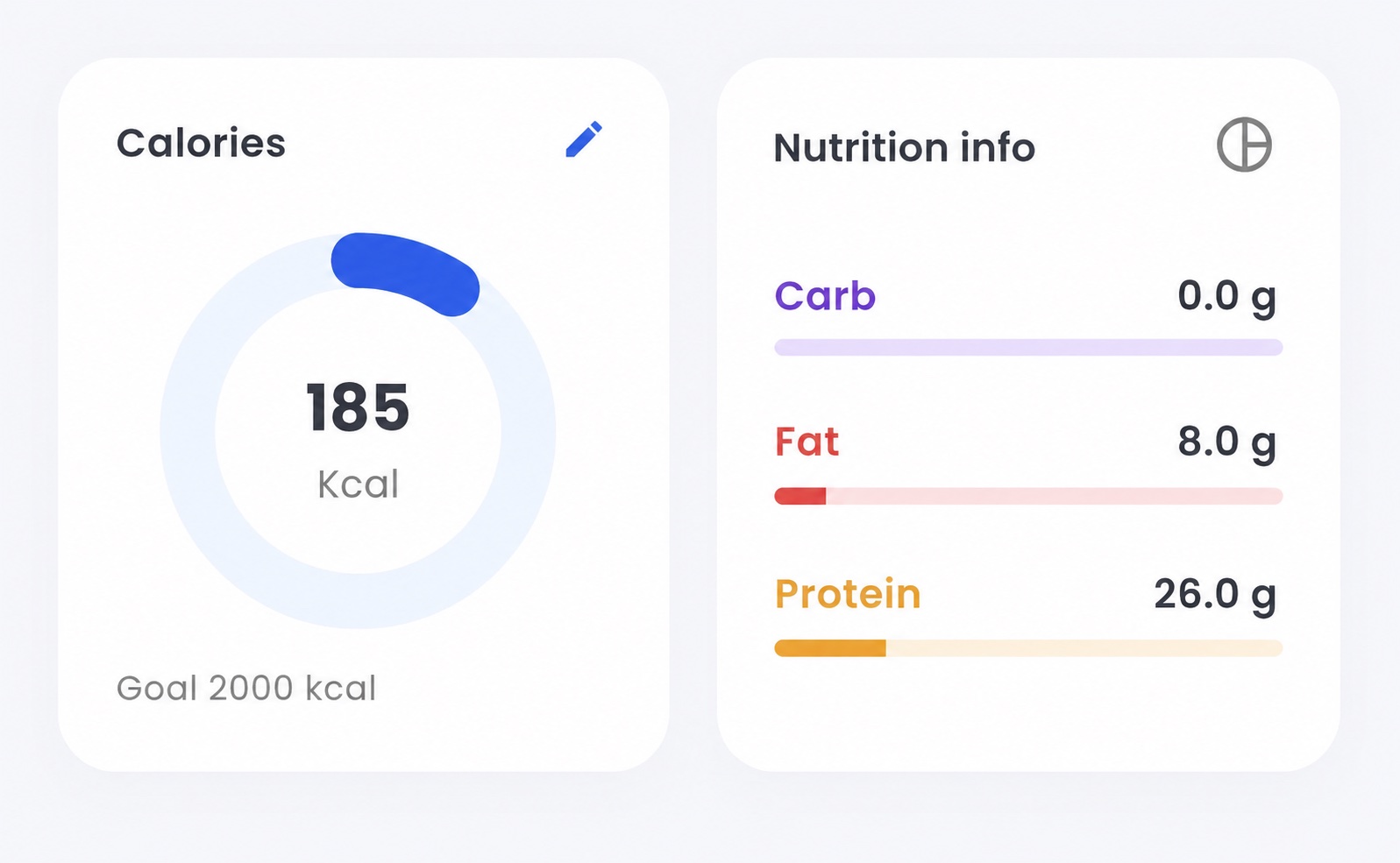
Estimated calories and nutrition, together in one view. Example figures shown.
Record meals, amounts eaten and support given. Review estimated calories and nutrition without adding everything up by hand.
Keep fluid intake alongside food records, so it is easier to review what has been recorded through the day.
Keep readings together over time. Ask Patch to help find the recorded detail and changes you want to discuss.
Record continence observations and support, keeping the next team member informed without another separate chart.
Calorie figures are estimates, not a prescribed nutrition plan. Staff should check entries and use the person’s agreed care plan.
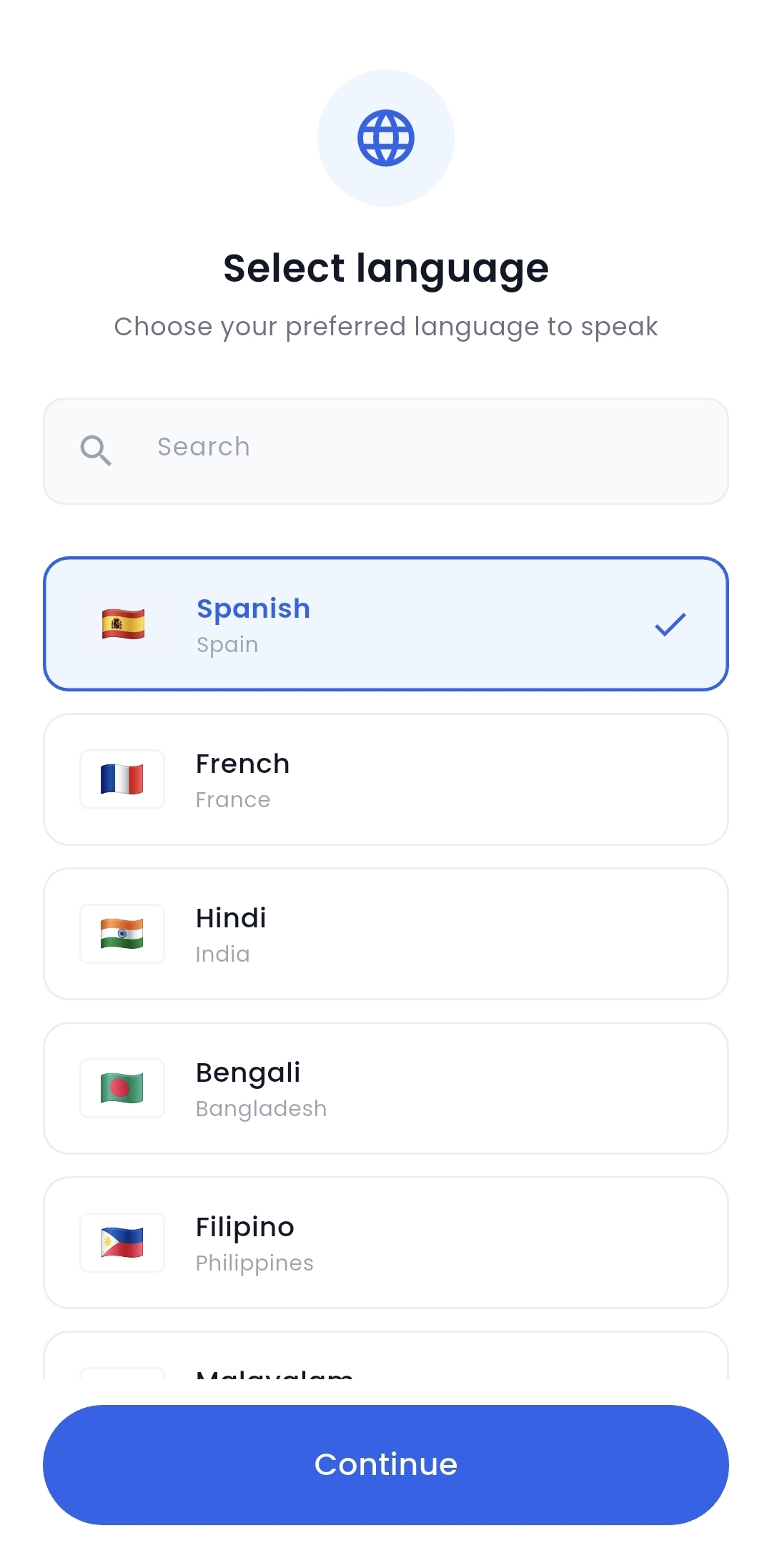
After a busy visit or care round, typing a full note can take you away from the person you are supporting. Speak in a supported language, then review the English version in ServPatch before saving.
Carers should review the converted text before saving it to the care record.
For care homes and home care teams, these are the tools that help the day run with less chasing and less repeated admin.
Start with the person, not a blank form. Keep needs, preferences and agreed support together so the team knows what matters.
Leave a clear record for the next person. See previous notes and who created, reviewed or amended them, with the time attached.
Know what is planned and what needs doing. Open the person’s care information before the visit or appointment begins.
Keep the small but important jobs in view. Manage personal to-dos and reminders alongside the rest of the day’s care.
Record medicines administered during care and look back at the medication history, without keeping a separate paper trail.
Record what happened in a guided workflow. Add a body map when an injury needs to be marked clearly for the team.
Log food, amounts eaten, support and fluids. AI-assisted calorie estimates help reduce the manual maths.
Keep everyday observations connected. Review recorded changes with Patch and bring useful context to a professional conversation.
Whether you are on a care-home round or a home visit, keep the information you need close at hand on your phone.
Keep care records and everyday observations connected, then use Patch to help find the information you need to review.
ServPatch is built with data protection in mind, with clear controls around how authorised care team members access the service.
Information is protected as it moves between the app and the service.
Access is restricted to approved care team members.
Carer accounts are issued by the care provider.
Privacy, data-protection and data-deletion information is available from the website.
Bring a question from your working day. We’ll show how your team could record it, find it and follow it through with Patch.