Home care
Coordinators need live visibility, not guesswork
The operational case for a coordinator dashboard in domiciliary care, and what should live on the first screen.
15 January 2026 · 3 min read
Rota & visits
Coordinators plan care packages and visits by client, carer and travel zone, then publish the rota. Carers see who they’re supporting, when, and which tasks are expected before they begin.
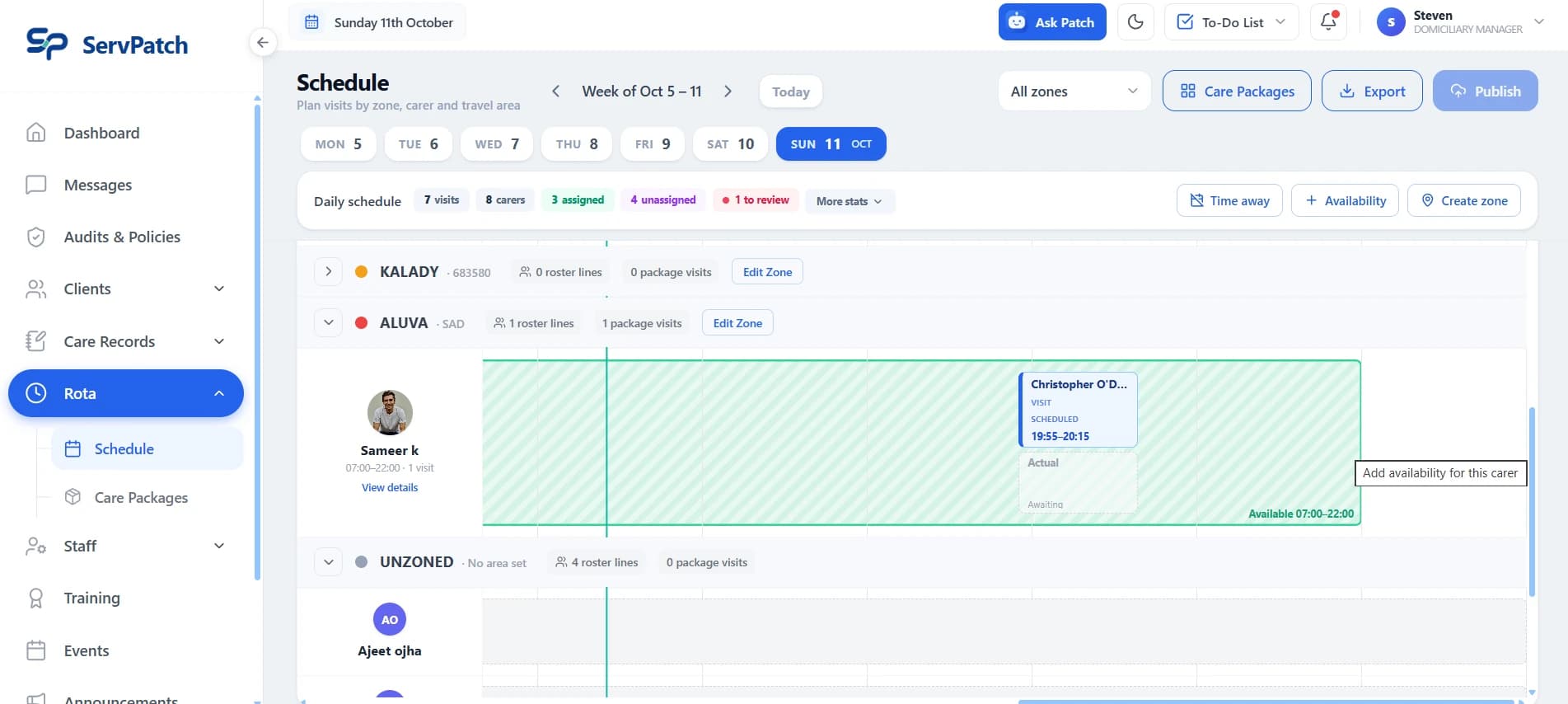
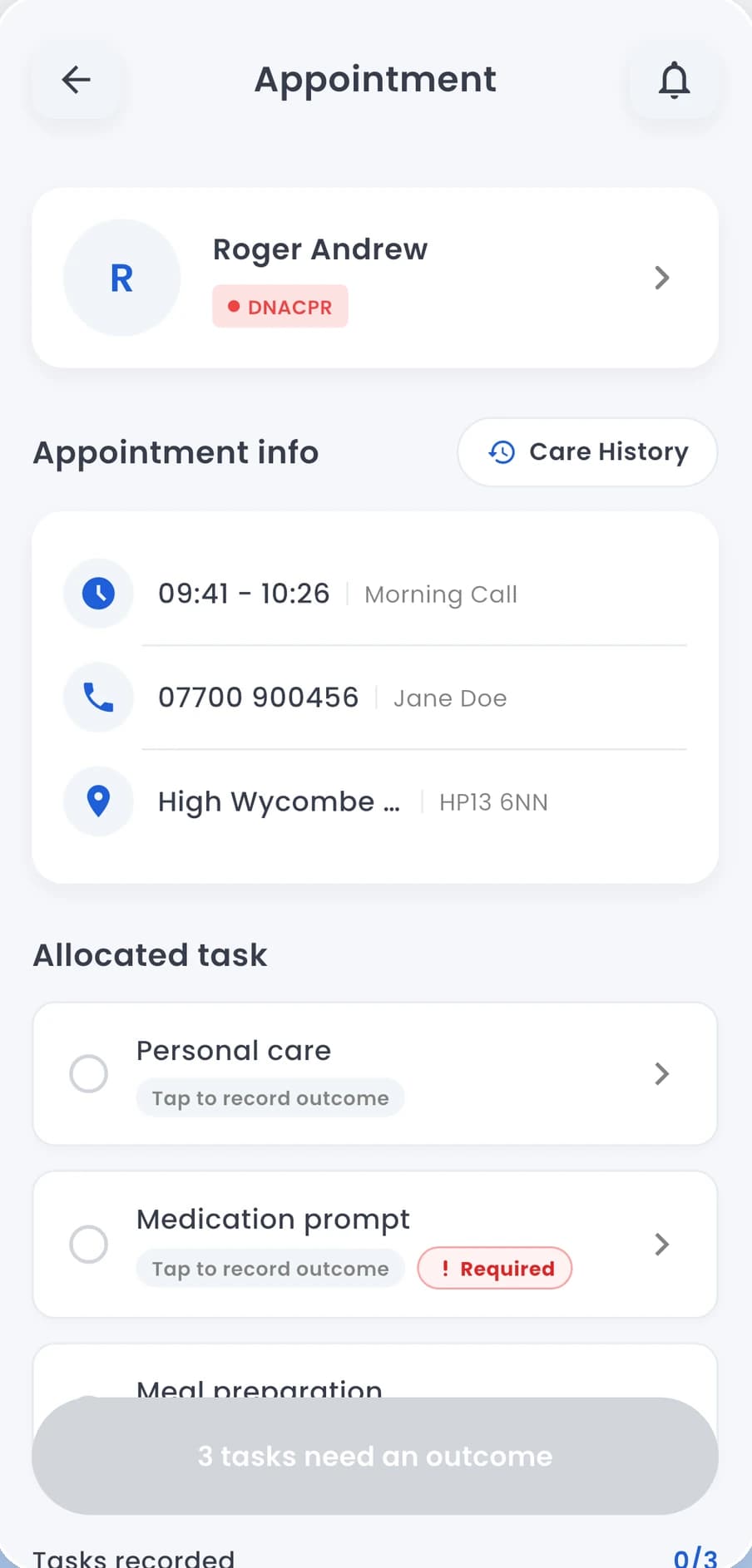
Real ServPatch screens · manager dashboard and carer app
Capabilities
Everything below is available in ServPatch today, on every plan.
Plan the day or week by zone and carer, see assigned and unassigned visits, and publish the schedule.
Organise visits by client, carer, travel zone and area, and assign a zone-matched carer.
Record carer availability and time away alongside the schedule.
Scheduled visits and appointments visible from the carer app.
Personal care, medication prompts and other tasks shown before the visit starts, with required tasks flagged.
Appointments and reminders kept with each person's record.
Coming next: Travel-time optimisation · AI scheduling conflict highlights
How it works
Coordinators plan visits by zone and carer, assign anyone unassigned, and publish the rota.
Carers see their visits and review the client’s details and allocated tasks before pressing Start visit.
Notes, medication and incidents are recorded against the same visit and person.
Questions
Yes. Coordinators plan care packages and visits by client, carer and travel zone in the manager dashboard, assign carers, record availability and time away, and publish the schedule. AI-assisted conflict highlights and travel-time optimisation are on our roadmap.
Yes. Allocated tasks, such as personal care or a medication prompt, are shown before the carer starts the visit.
Connected features
Profiles, care plans, daily notes and tasks
Medication records and history
Guided incident reports with body maps
The operational case for a coordinator dashboard in domiciliary care, and what should live on the first screen.
15 January 2026 · 3 min read
Why missed tasks in domiciliary care are often a visibility problem rather than a staff performance problem, and what to look for.
15 January 2026 · 3 min read
Why domiciliary care providers need mobile-first care management software, and what the cost is when home care runs on desktop tooling.
15 January 2026 · 3 min read
Bring a question from your working day. We’ll show how your team could record it, find it and follow it through with Patch.
Prefer to talk now? Call 020 3764 2332 or email [email protected]